

A website should do more than make your business look professional. It should help customers understand what you offer, make it easy to contact you, and support the way your business operates.
Yet many Canadian business owners find that their website is not doing those things. It may load slowly on mobile, generate very few inquiries, be difficult to update, or lack the features the business needs as it grows.
The good news is that you do not need the most complex website or the latest technology to get results. You need the right solution for your goals, your customers and your budget.
In this guide, we’ll look at common website challenges, the types of websites available, and the differences between WordPress, Next.js, Laravel and Python-based development. We’ll also cover what to consider when choosing a development partner, whether you run a local business in Scarborough or serve customers across Canada.
1. Start With Your Business Needs, Not the Technology
Before choosing a platform or framework, think about what you need your website to do. Start with the problem you want to solve.
Here are a few common situations and the types of solutions that may help:
- Your website isn’t generating inquiries: A focused business website or landing page with clear calls to action, simple inquiry forms and WhatsApp integration can make it easier for visitors to get in touch.
- Your website is slow, especially on mobile: Image compression, better hosting and performance optimization may help. If the site needs a more substantial rebuild, a modern framework such as Next.js could be worth considering.
- You want to sell products online: An eCommerce website can give customers a convenient way to browse products, pay securely and place orders. It should also support inventory management.
- Customers keep calling to book appointments or check updates: An online booking system or customer portal can help customers find information and manage common tasks themselves.
- Your team enters the same information in multiple tools: A custom web application can connect systems and reduce repetitive work. Laravel or Python may be suitable options, depending on the requirements.
- People can’t find your business on Google: Technical SEO, local SEO and Google Business Profile optimization can help improve your visibility in relevant searches.
The important thing is to identify the business need first. The technology should support the solution, not drive the decision.
2. Choose the Right Type of Website
Different businesses need different websites. A service provider may only need a clear website that explains its services and collects inquiries. An online retailer will need product pages and a checkout process.
Here are some common website types:
Business and Brochure Websites
These websites introduce your business, explain your services and help potential customers build confidence in your brand. They are a practical option for clinics, salons, contractors, consultants and other service-based businesses.
Landing Pages
A landing page is built around one main action, such as requesting a quote, booking a consultation or claiming a free audit. Businesses often use landing pages with Google Ads or Meta Ads campaigns.
eCommerce Websites
An eCommerce website lets customers browse products and purchase them online. It may need secure payment processing, product management, inventory tools, shipping settings and Canadian tax configuration.
Booking and Appointment Websites
These websites allow customers to view availability, choose a time and book an appointment. Depending on the business, they can also support reminders and deposit payments.
Portals and Membership Websites
A portal gives customers, members, students or partners access to private information and account features. This can include login areas, member resources and account management.
Custom Web Applications
A custom web application is designed around specific business processes. Examples include internal dashboards, quoting systems, workflow tools and platforms that help teams manage day-to-day operations.
Directory and Marketplace Websites
Directories and marketplaces connect people with businesses, products or services. Common features include listings, search, filters and user accounts.
Community, Club and Non-Profit Websites
These websites may include event calendars, member pages, news, donation options and volunteer sign-up forms.
Corporate and Enterprise Websites
Larger organizations may need websites with multiple departments, languages and content teams. These projects can also involve more detailed security, accessibility and governance requirements.
3. Choose Technology That Fits Your Business
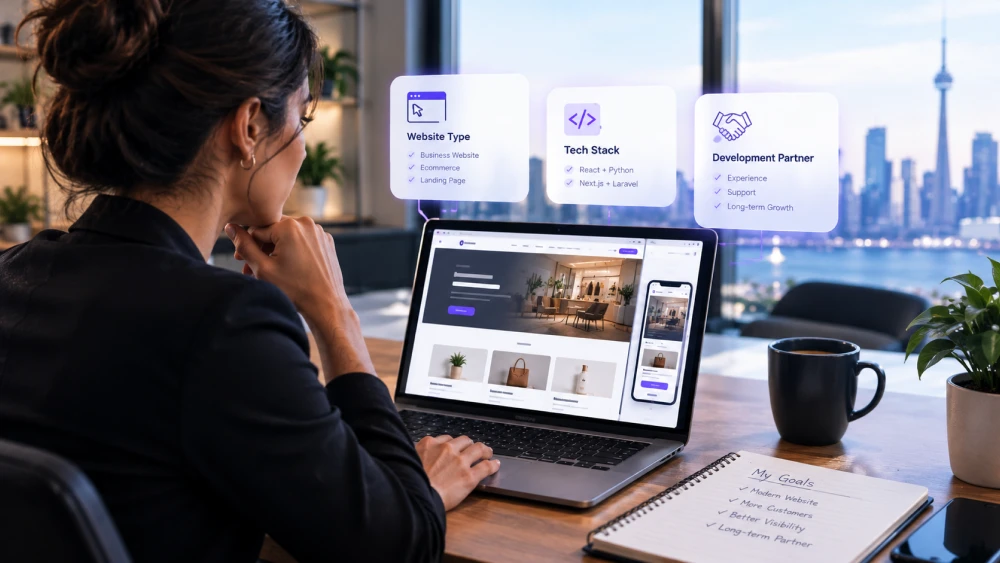
There is no single technology that works best for every website. The right choice depends on your budget, the features you need, how often your content changes and how you expect the business to grow.
WordPress: A Practical Option for Small and Growing Businesses
WordPress is a popular choice for businesses that need a professional website without a large custom development project. It works well for service websites, blogs and many online stores.
Its large plugin ecosystem can support SEO, bookings, security and eCommerce. It also makes it possible for business owners to update much of their website content themselves.
The main consideration is maintenance. Too many plugins can affect performance, and WordPress sites need regular updates and security checks.
A good fit for: Local service businesses, startups, small retailers, professionals and consultants.
Next.js: For Speed and Modern Website Experiences
Next.js is a framework built on React. It offers different ways to deliver website pages, including server rendering and pre-rendering, which can support fast loading and search engine visibility when implemented well.
It can be a good choice for content-rich websites, modern eCommerce experiences and web applications where performance and user experience are important. It is often paired with a content management system so your team can update content without editing code.
A good fit for: Growing brands, content-heavy websites, SaaS products and businesses where website performance is important to the customer experience.
Laravel: For Custom Systems, Portals and Workflows
Laravel is a PHP framework with tools for building user accounts, permissions, database-driven features, queues and APIs.
It is useful when your business needs more than a standard website. For example, you may need a customer portal, booking or quoting system, admin dashboard or internal tool built around your team's workflow.
A good fit for: Businesses that need custom workflows, portals, multi-user systems or back-office tools.
Python: For Data-Driven and AI-Enabled Applications
Python is often used for applications that work with data, reporting, machine learning or AI features.
Django is a full-featured framework for building database-driven applications. FastAPI is commonly used to build APIs that connect a Next.js website, mobile app or other service to back-end features.
Depending on the project, Python can support analytics dashboards, integrations, AI-powered tools and more complex platforms.
A good fit for: Businesses that need reporting, data processing, integrations or AI-enabled features.
Can You Combine Different Technologies?
Yes. Some projects use more than one technology because each part of the system has a different job. For example, a website might use Next.js for the front end and Laravel or Python for the back end, with managed hosting supporting the application.
This can be useful for larger or more specialized projects, but it is not necessary for every business. A simpler setup may be easier and more affordable to manage.
4. Choose a Website Development Partner Carefully
The person or team building your website can have a lasting impact on its quality, performance and future maintenance. Look beyond the initial quote and make sure you understand what you are getting.
Before choosing a developer or agency, ask:
- Can you show examples of websites you have built for businesses like mine?
- Will my business own the website, domain and content after launch?
- What is included in the quote: design, content setup, basic SEO, training, hosting and other services?
- What support is available after launch?
- Are website maintenance, updates, security checks and backups included?
- How will we measure whether the website is working, such as inquiries, calls, bookings or sales?
Be cautious if a quote is much lower than other proposals without a clear explanation, the timeline is vague, or the provider recommends complex technology without explaining why your business needs it.
A good development partner should be able to explain the options in plain language and recommend an approach that makes sense for your current needs and future plans.
5. A Practical Website Development Path
You do not have to build everything at once. Your website can develop alongside your business.
- If you're just starting out: Begin with a clean business website or landing page. Include clear service information, inquiry forms, WhatsApp integration where useful and basic SEO.
- If you're ready to attract more leads: Improve your local search presence, optimize your Google Business Profile, publish useful blog content and consider adding a booking system and analytics.
- If your business is growing: Review your website performance and customer journey. You may benefit from a faster front end, better integrations or custom tools that reduce the work slowing your team down.
- If your requirements are more complex: Plan the project in phases. Set clear requirements and include security, accessibility, testing and ongoing support in the plan.
Starting with what your business needs today can help you avoid paying for features you may not use. You can add more as your goals and operations change.
Frequently Asked Questions
How Long Does It Take to Build a Business Website?
A typical business website can take around 7 to 10 days after the required content is provided. Custom websites and web applications usually take longer, depending on their features and project scope.
Can I Start With a Simple Website and Upgrade It Later?
Yes. Starting with a focused website and adding features as your business grows can be a cost-effective approach. The important thing is to choose a foundation that can support your realistic next steps.
Does My Business Need a Custom-Built Website?
Not necessarily. Many small businesses can meet their needs with WordPress or another established platform. Custom development is worth considering when your business needs specific features or workflows that standard tools cannot handle well.
What Happens After the Website Is Launched?
You should have access to the support your website needs after launch. This may include software updates, security checks, backups, hosting and help with content or technical changes. Confirm what is included before the project begins.
Find the Right Website Solution With Neaami Technologies
Your website should fit the way your business works today and give you room to grow tomorrow. You do not need to choose a technology just because it is popular. Start with your goals, understand your options and invest in the features that will make a real difference to your customers.
Neaami Technologies, based in Scarborough, Ontario, supports businesses across Toronto, the Greater Toronto Area (GTA) and Canada with website development, digital marketing, web hosting and technical support.
Start with a free growth audit. We'll help you identify a website approach that aligns with your business goals and budget.